Choose vector artwork or a placed image
A placed raster QR image can be enough for a fixed-size layout. Vector artwork is useful when the deliverable needs editable shapes or resizing. Vector does not automatically mean a code will scan: the destination URL, contrast, quiet zone and final output size still matter.
Create a Square QR with the Free panel
QR Code Generator Panel Free creates one editable Square vector QR from a complete http:// or https:// URL. Choose size (2–1000 mm including the four-module quiet zone), colors with optional inversion, and error correction L/M/Q/H. There is no daily quota, watermark or expiry. Update keeps a panel-created Square QR’s parent and top-left position. Check selected reviews local geometry only—it does not decode or certify scanning.
Install the Free edition from its Adobe Exchange listing (0.1.4). The listing shows Illustrator 21.0+ on macOS and Windows; native host execution of the exact signed ZXP is not separately verified here. The website product page is prepared in this PR and becomes the public help URL after an authorized site deploy.
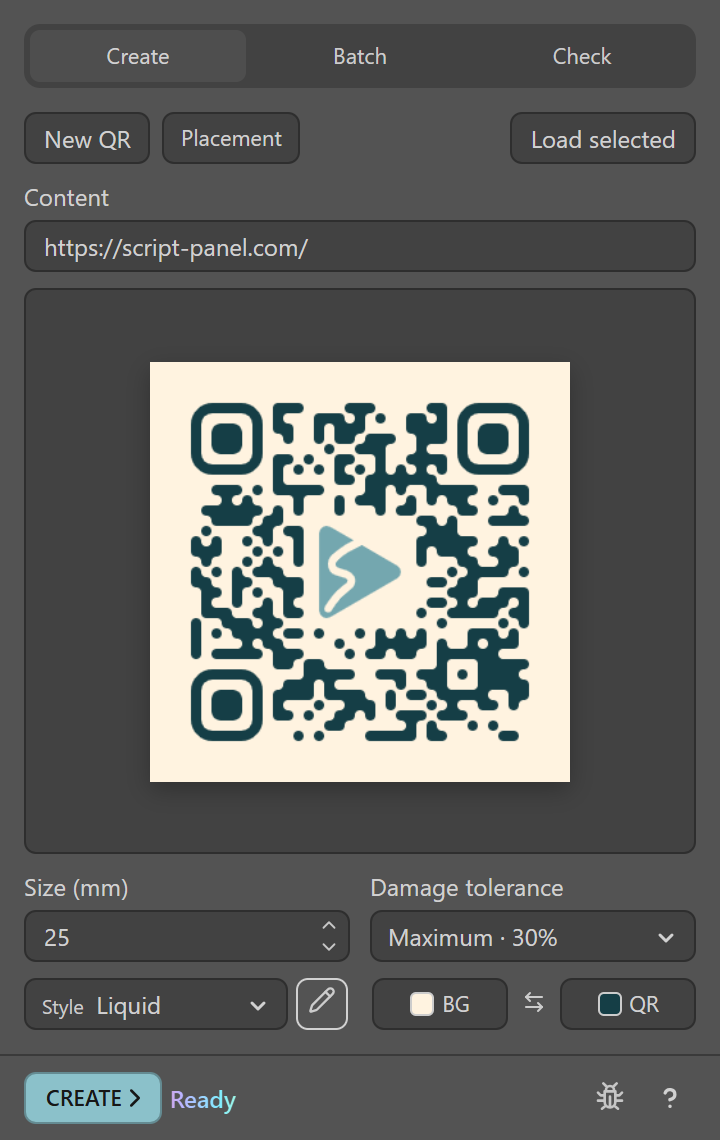
Create a code from a link in Pro
- Open QR Code Generator Panel Pro in Illustrator and use a visible, unlocked output layer.
- Enter the full http:// or https:// destination. Open that address separately to check that it is the intended page.
- Choose size and damage tolerance. Start with square black modules on a white background.
- Choose Create, then inspect the new artwork on the active artboard.
The panel size includes its four-module safety margin. Avoid cropping that background when exporting an artboard.
Add a logo or a softer style in Pro
Center logos and Soft, Rounded or Liquid styles are Pro features. Click the pencil beside Style to open the style editor. Soft and Liquid have a roundness control; Liquid joins neighbouring modules into smooth shapes. Choose logo accepts a PNG, JPEG or self-contained SVG up to 512 KB. The panel switches error correction to High and limits the logo to the centre area the link can safely give up, so a short link leaves more room. Create embeds the logo inside the QR group, and the original file is no longer needed.
A logo always removes some modules. Scan the final artwork at its real size, especially with rounded styles. Free does not silently convert Pro-only styles.
Edit a code made by the panel
Select one code created by Free or Pro and use Load selected before Update. Recreate altered, rotated or distorted artwork when the panel cannot load it. Manually moving individual modules can invalidate the code.
Check the real delivery
Export a test at the intended size and scan it on more than one device. For print, test a physical proof with the actual material, light and viewing distance. A successful panel preview is not a scanability certificate. Keep the destination available after publishing the artwork.
The panel for this task
Editable vector QR codes in Adobe Illustrator with a Liquid style and your logo in the centre. Batch from URL lists or CSV across artboards. $19 USD.
Explore QR Code Generator Panel ProSources and scope
This guide combines the publisher’s product source and documented workflow with the official references below where applicable. Interface screenshots show setup, not a newly verified host result. Inspect your actual output before production delivery.